


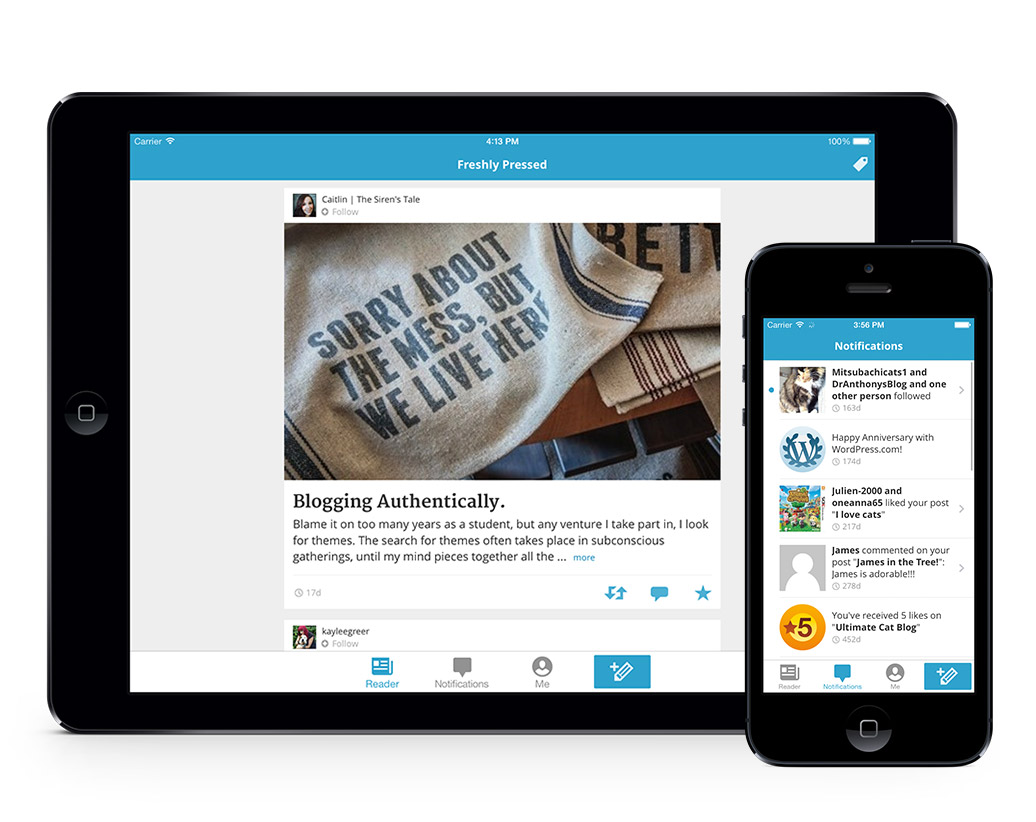
When the new iPhone came out a few months ago, I was at the Apple store looking at how new and shiny it was when I noticed an app for WordPress. Cool! I didn’t know WordPress had an app. So I went home and downloaded it. Now that I’ve been using it for a few months, I thought I’d share some of the handy things you can use it for.
Features
You can:
- Write posts
- Approve comments
- Reply to comments
- Upload and attach photos and videos
- Preview your posts
Pros
As a book blogger here are some of the things I use the app for:
- Repying to comments. They updated the app so now you can reply while still seeing the original comment. Very handy.
- Writing my mailbox posts. As I get books in the mail, I type the name of the book right in my mailbox post draft and then upload a picture of my new book from my phone. Then when I’m ready to publish my post, all I have to do is format it on my computer.
- Any time I have a post where I want to add a screenshot or a photo from my phone, I pull out the app and upload it directly. It’s very fast and easy. And then when I’m editing my post on my computer, I change the drop down menu in the media library from “all media items” to “uploaded to this post” so I can quickly add them where I want them to go in the post. Uploading photos from the app automatically just adds them to the end. You can’t really format posts from the app.
- Writing down post ideas in a new post draft. That way I don’t really need a separate notebook or list for all my post ideas – I can just browse through my drafts.
Cons
As much as I like this app, there are a lot of things it doesn’t do.
- It’s very basic with no plugins to make your life easier.
- There is not visual mode. It’s always in HTML/text mode and sometimes that gets messy and hard to read.
- Like I said before, you can’t format posts at all unless you like to code yourself with HTML tags.
- I don’t think it’s very user friendly. I tend to not approve comments on the app even though I can because I find the icons really confusing. What does the slash on the checkmark mean? Is it approved or not?? It’s also hard to see if you are working on a draft or post that will get published if you update it. You have to scroll all the way to the bottom of the post to where it says “Options” to see if the status is “Draft” or “Published.”
- The posts aren’t organized or able to be filtered in any way. I do a lot of scrolling to find the post I’m looking for.
As I type the ideas for this post in a rough draft on my iPod, my husband is giving me a weird look and wondering why I don’t get out a computer instead of typing slowly on this screen. He has a point but I still think this app is very handy.
In the most recent update, there is a reader section and a notification section. I think the reader section is for .com users who follow other blogs. I’m not totally sure because I can’t figure out how to use it and Google doesn’t bring up much on how to use that feature. You can also get stats and notifications if you have Jetpack, which I don’t. But .com users might find those features really handy.
Overall, I think it’s a handy supplement to maintain your blog and the app is free. So go try it out!
 My name is Jessica. I love to read Young Adult and classic literature. I’ve been a book blogger for six years and I haven’t gotten tired of it yet. I’m a very curious reader. Writing about all the questions and thoughts I had while reading a book is the best hobby ever.
I had no clue this existed! I’m going to have to check this out!
The app I have for Blogger is ok on my ipad but sucks on my phone. I end up putting a lot on Evernote and then posting when I get to my computer!
Missie @ A Flurry of Ponderings